Your own team of AI agents. Each in its own terminal.
SRVCAGNT is a Mac app that turns your own Claude plan into a crew: one master agent you talk to in plain words, up to 10 helpers that do the work, and nothing big happens without your OK. Watch every agent work in its own chat or terminal.
Works with your own Claude Pro or Max plan. You sign in on Claude’s own page; SRVCAGNT never sees your password.
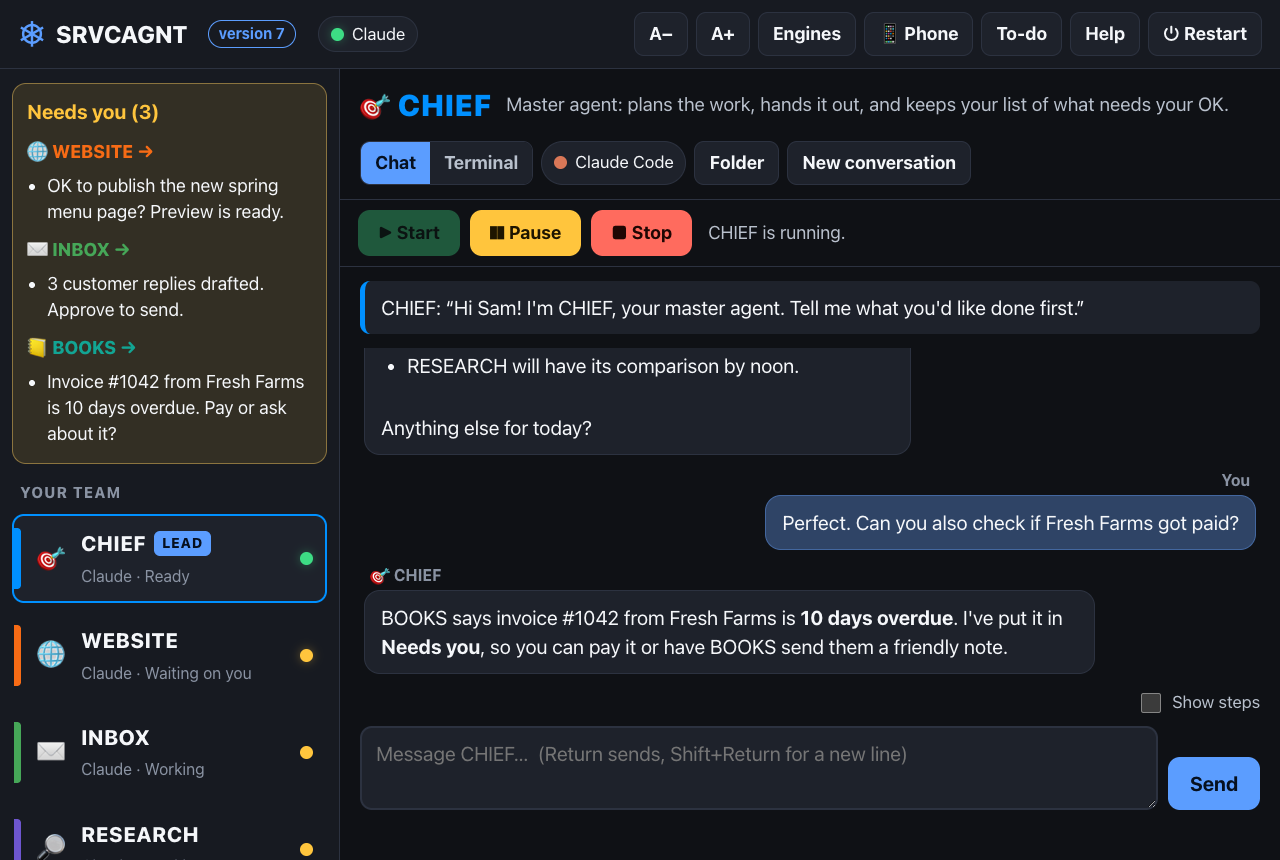
A command center for the AI you already pay for.
No more juggling chat tabs. SRVCAGNT gives every job its own agent, and every agent its own window, memory and instructions.
A team in five minutes
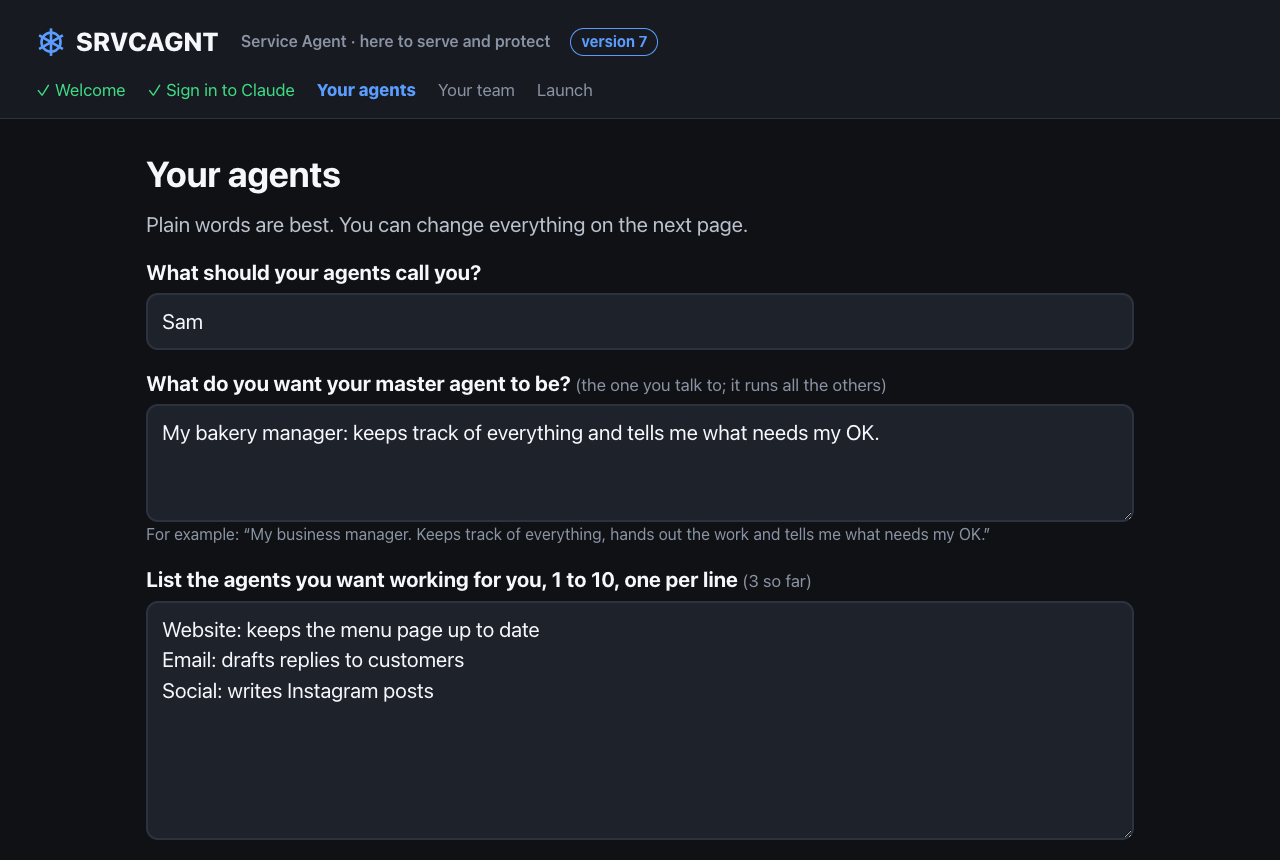
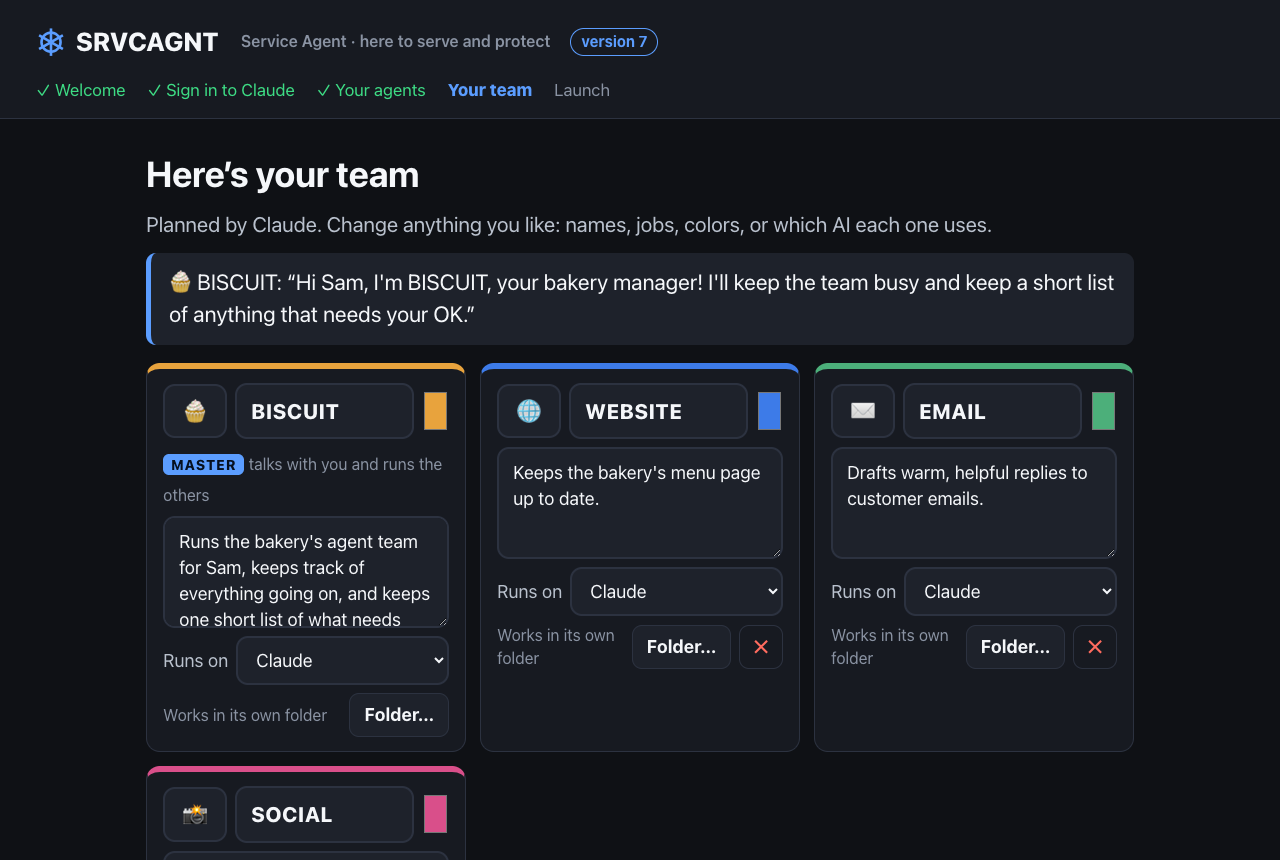
Sign in to Claude, say what you want your master agent to be, and list 1 to 10 helpers in plain words. SRVCAGNT builds the team, with names, jobs and colors, and you can change anything before Launch.
One window for the whole team
Your master agent is pinned on top and every agent gets its own page, with a clean chat view and a real terminal view. Pop any agent out into its own window.
One “Needs you” list
Everything waiting for your OK lands in one list, grouped by agent, plus a to-do note. Nothing big happens without you.
You’re in control
Start, Pause and Stop on every agent. Add a new agent any time, rename, delete or drag to reorder, and jump between agents with ⌘1–9.
Check in from your phone BETA
Pair your phone with a code and check on your team privately, over your own Tailscale network.
Moves and restarts with you
Back up your team and move it to a new Mac. Restarting your computer? SRVCAGNT warns your agents first and brings them back after you log in.
Install, sign in, describe, launch.
Install
Drag SRVCAGNT into Applications and open it.
Sign in to Claude
SRVCAGNT installs the official Claude Code if you need it. You sign in on Claude’s own page.
Describe your team
“Website: keeps the menu page up to date.” One line per agent, plain words.
Launch
Talk to your master agent. It hands out the work and reports back.
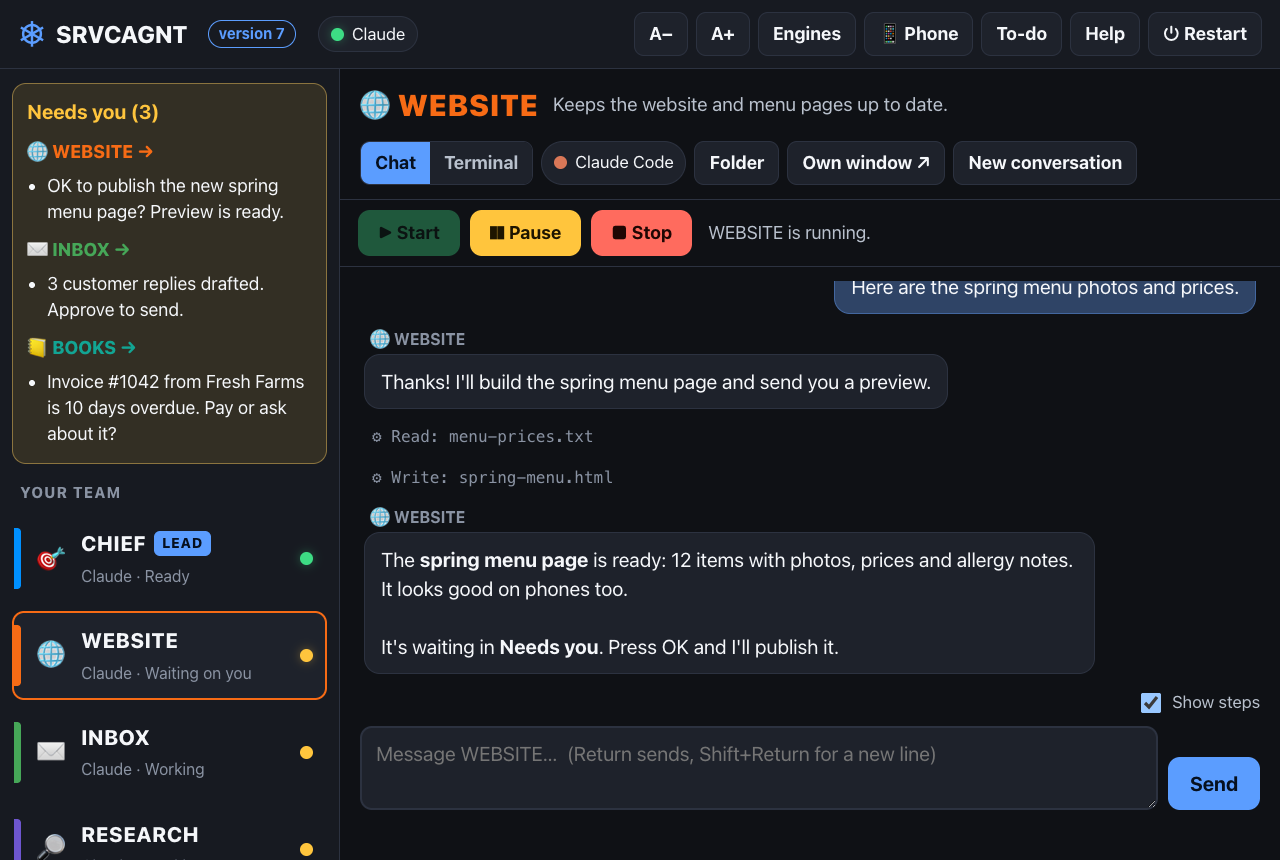
Watch every step. Approve what matters.
Each agent runs the official Claude Code with your own Claude Pro or Max plan. Read along in the chat view, or tick “Show steps” to see each file it reads and writes.
Your Mac. Your account. Your work.
- Runs on your own computer. Your agents and their files stay on your Mac.
- We never see your password. You sign in on Claude’s own page, with the official Claude Code.
- Your plan, your usage. Agents use your own Claude plan. Nothing is shared with anyone else.
- You stay in charge. Anything big waits in your “Needs you” list for your OK.
Be one of the first crews.
SRVCAGNT is in early access for Mac. Tell us what you’d use it for and we’ll send you a copy.
Request a copy
You’ll need a Mac (Apple chip or Intel) and your own Claude Pro or Max plan.
Request early accessQuestions
Do I need my own Claude plan?
Yes, a Claude Pro or Max plan. SRVCAGNT installs the official Claude Code if needed, and each agent uses your own plan, the same as if you ran Claude Code yourself.
Does SRVCAGNT see my password or my conversations?
No. You sign in on Claude’s own page, through the official Claude Code. Your agents and their work stay on your Mac.
What do I need?
A Mac with an Apple chip or Intel, and your own Claude Pro or Max plan.
How many agents can I run?
A master agent plus up to 10 helpers at setup, and you can add more later. How much they get done at once depends on your Claude plan’s limits.
Can agents do big things without asking?
No. Anything big waits for your OK in the “Needs you” list, and you can pause or stop any agent at any time.